Recording transcription for Windows
Turn meeting recordings into readable text.
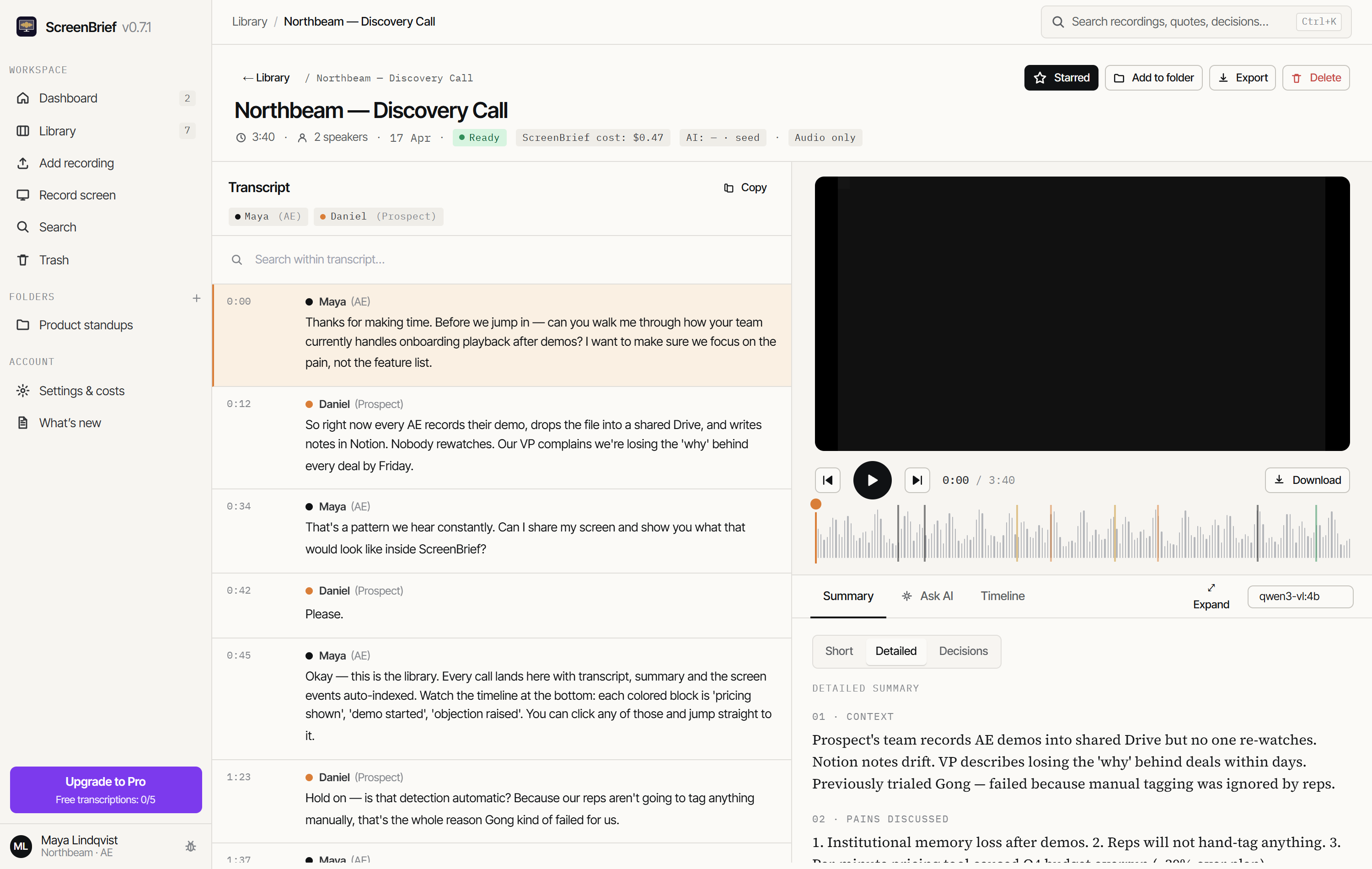
Import a recording, read the transcript and find the key decisions. Click a passage to jump back to that moment in the recording.
You can transcribe locally with a model downloaded to your computer.
Windows 10/11 x645 transcriptions to get started
Three steps to your first transcript
Start with a short recording.
Turn a saved meeting recording into text you can search and check.
Install and set up
Download the app from the Store. Choose local transcription and download a model while connected to the internet.
Import your recording
Use an audio or video file, such as a Teams, Zoom or Meet recording. No bot needs to join your call.
Check the transcript
Read the text and listen back to important passages. Check names, dates and numbers before using the transcript.
Working with meeting or screen recordings? Learn how to import a Teams, Zoom or Meet recording or how to turn a screen recording into text. These examples take you from a saved file to your first transcript on Windows.
See ScreenBrief in action
Every answer points to a moment.
See the transcript, summary and answers with citations that take you to the right moment in your recording.
English demo · 30 seconds.
Music and sound effects: original, made for ScreenBrief. Voice: ElevenLabs.
Start with your own recording
Try it before buying Pro.
Download ScreenBrief and try your first 5 transcriptions free. Unlock Pro inside the app when you are ready to continue.
ScreenBrief Pro
One-time or monthly.
Choose your plan in the app. The monthly subscription renews until you cancel.