Windows guide
Local AI meeting notes for Windows — without a bot joining the call
Local meeting notes make sense when the recording, transcript, and search index stay on your computer, and you decide whether the summary should stay there too. On Windows, that workflow can run without a cloud account and without another bot joining the meeting.
What a local workflow looks like
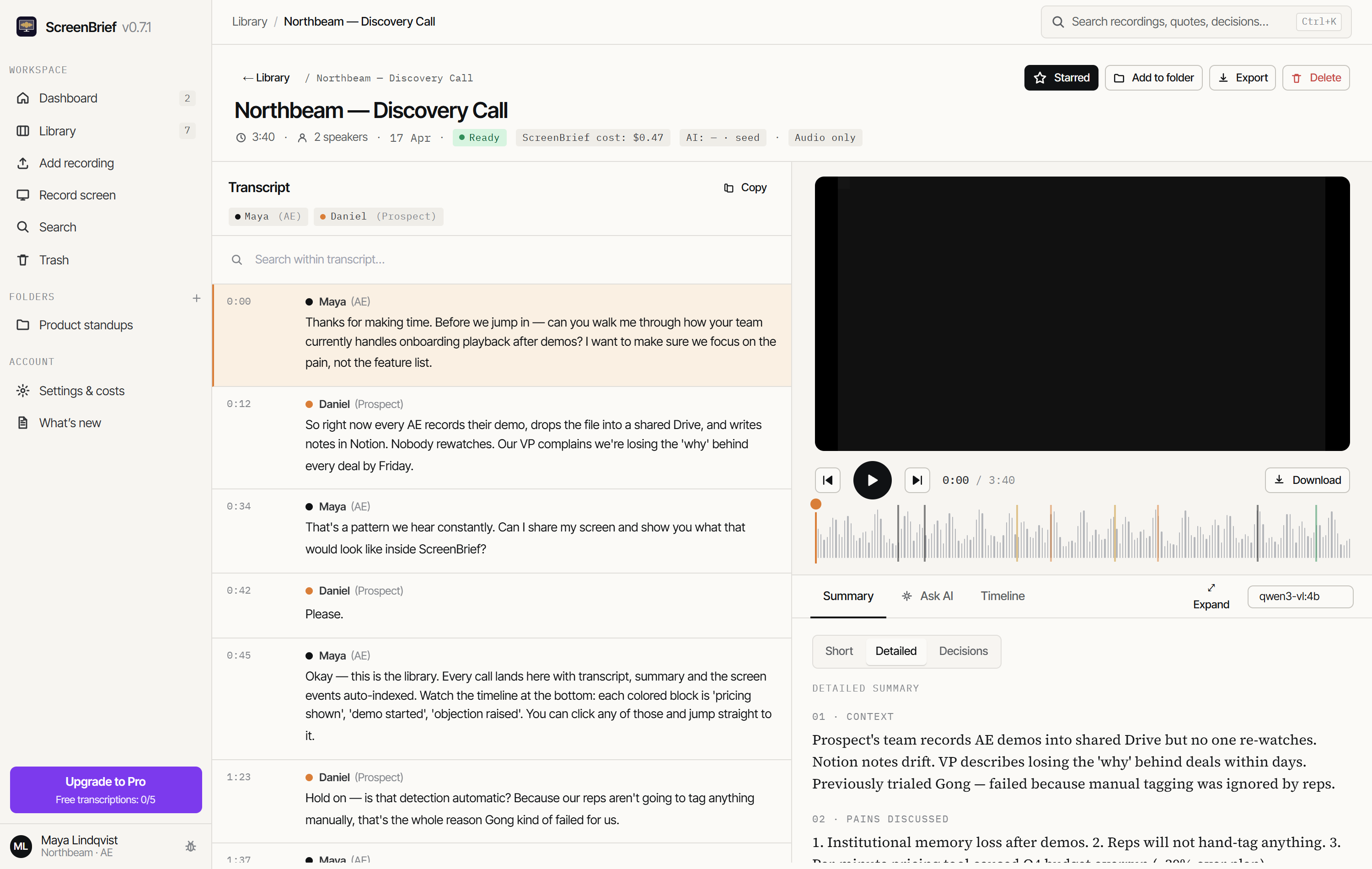
ScreenBrief is a desktop app. Record your screen and audio or add an existing file, then let local Whisper create the transcript on your CPU or GPU. The recording becomes a library item with speaker labels, timestamps, and searchable text.
- Start a screen-and-audio capture or add an existing audio or video file.
- Choose local Whisper transcription. The first run downloads the selected model to disk.
- Open the transcript, correct speaker names, and check any passage against its timestamp.
- For summaries and chat, choose local Ollama or deliberately connect an external provider with your own key.
What “local” actually means
Offline is often used too broadly. Storage and transcription can be local while a summary still calls an external service. In ScreenBrief, the boundary follows your settings:
Stays on the PC
- Recordings, database, transcripts, and the search index
- Transcription when you select local Whisper
- Summaries and chat when you select local Ollama
- API keys stored through the operating-system credential store
May leave the PC
- Audio when you explicitly choose API transcription
- Required transcript passages when you choose an external model for summaries or chat
- Microsoft Store requests related to download and licensing
- Model files fetched during first-time local setup
What you get after the meeting
- Short and detailed briefs instead of one long wall of transcript text.
- Action items with owners and due dates, plus a separate decision log.
- Chat answers grounded in the recording with cited timestamps.
- A timeline connecting conversation, screen activity, objections, and commitments.
- Markdown, PDF, SRT, VTT, and ICS exports plus search across the full library.
When another tool is a better fit
A cloud service is more convenient if you need a shared team workspace, a bot that automatically joins every meeting, or immediate processing of many hours on weak hardware. ScreenBrief is for one Windows user who wants direct control over files, models, and costs on one PC.
Price and requirements
The Microsoft Store download includes 5 free transcriptions. Pro costs 299 PLN once for one computer, or 29 PLN a month as a subscription. Local transcription needs no API key; on slower hardware you can select a smaller model or use an external provider.
Set up Ollama step by step
Learn how to summarize a recording with local Ollama, test the connection and check tasks against the source.
Try local notes on one of your own meetings
The first 5 transcriptions are free. Start with local Whisper, then choose how summaries should run separately.
Get it from Microsoft Store