Windows guide
Transcribe a job interview on Windows
After four interviews in one day the notes blur into one. A speaker-labelled transcript lets you go back to what the candidate actually said rather than what you remember. It is also sensitive material, so the question of where it goes and when it disappears gets as much room below.
Short answer
You load the interview recording as a file and transcription runs on your own computer. Nothing goes to the cloud until you pick an external AI provider for summaries yourself. A Teams, Zoom or Meet recording sits wherever the meeting tool saved it; that is covered in a separate guide.
- Get the candidate's consent before you start recording. That is the first step, not a formality at the end.
- Load the file and put the people who will speak in the “Participants” field. It is a hint for speaker labelling.
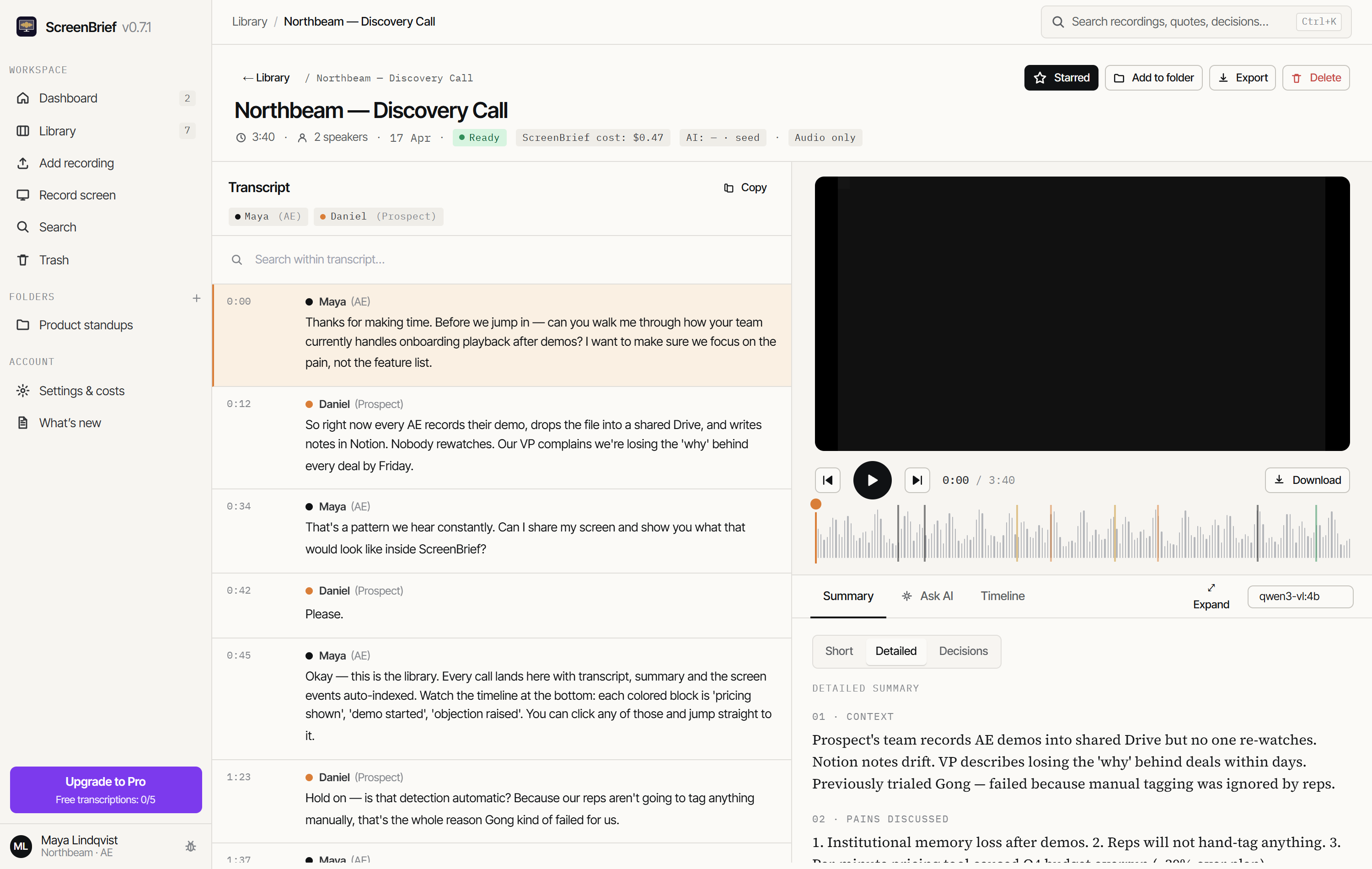
- Read the transcript with timestamps and, if you want, a summary and a list of points from the AI model you choose.
- Delete the recording once the role is filled. The trash keeps it for 30 days, and “Delete forever” removes the file and its analyses immediately.
Why a transcript when you already take notes
- Notes are written while listening, so they lose half the answer and all of its shape.
- When comparing candidates the exact wording matters, especially on experience and scope of responsibility.
- A transcript lets you revisit last week's conversation without replaying the full hour.
- A decision justified with a quote can be checked. One justified with an impression cannot.
Chat answers in the app point at the second they came from, so every sentence in a summary can be heard in the original. When the decision is about somebody's job, that is not convenience, it is the minimum of fairness.
Consent and the scope of the recording
An interview recording is the candidate's personal data, often together with details about previous employers and pay. Consent has to be given before recording starts, and it has to say why you are recording and how long the material will be kept.
A candidate who does not want to be recorded must not be worse off for it. A simple test: if the recording is a condition of taking part, it is not consent, it is coercion.
This guide is not legal advice. The requirements depend on the country, on your organisation's rules, and on whether you are hiring for yourself or for a client.
Where the recording goes
Stays on your disk
- The recording file and its copy in the app library.
- The transcript computed by local Whisper, with speaker labels and timestamps.
- The app database: summaries, points, tasks and chat history.
Leaves only if you choose so
- The transcript text to an external AI provider, if you pick one for summaries instead of a local model.
- The audio to an external provider, if you pick API transcription instead of local Whisper.
With candidate data this is a decision worth making deliberately and once: either the whole loop stays on the computer with a local model, which the Ollama guide describes, or you use an external provider and then it has to be named in what you tell the candidate.
Deleting once the role is filled
Recruitment material should not sit around indefinitely. Deleted recordings go to the trash and are removed permanently after 30 days. To cut that short, “Delete forever” removes the recording together with its files and analyses at once, with no undo.
Before you delete, export what actually belongs in the hiring record. Usually that is a note with the reasoning, not an hour of video and a full transcript.
What not to do
- Do not judge a candidate on the AI summary alone. A model shortens, and shortening drops the context of an answer.
- Do not trust names of people and companies in the transcript without checking. Speech recognition mangles rare names.
- Do not use the recording to infer characteristics that must not be part of a hiring decision. The tool does not take responsibility for your criteria.
- Do not keep recordings of rejected candidates longer than your retention policy allows.
Try it on your own recording
The first 5 transcriptions are free, and with the local model they need no API key at all.
Get it from Microsoft Store